
Support and app information
Moji FlashCards
A simple, focused way to learn beginner Japanese on iPhone and iPad. Study Hiragana, Katakana, essential JLPT N5 Kanji, and N5 vocabulary with clean flashcards.
Build your own study deck, search Kanji in English or Japanese, hear Japanese audio, and keep practising fully offline once the app is installed.
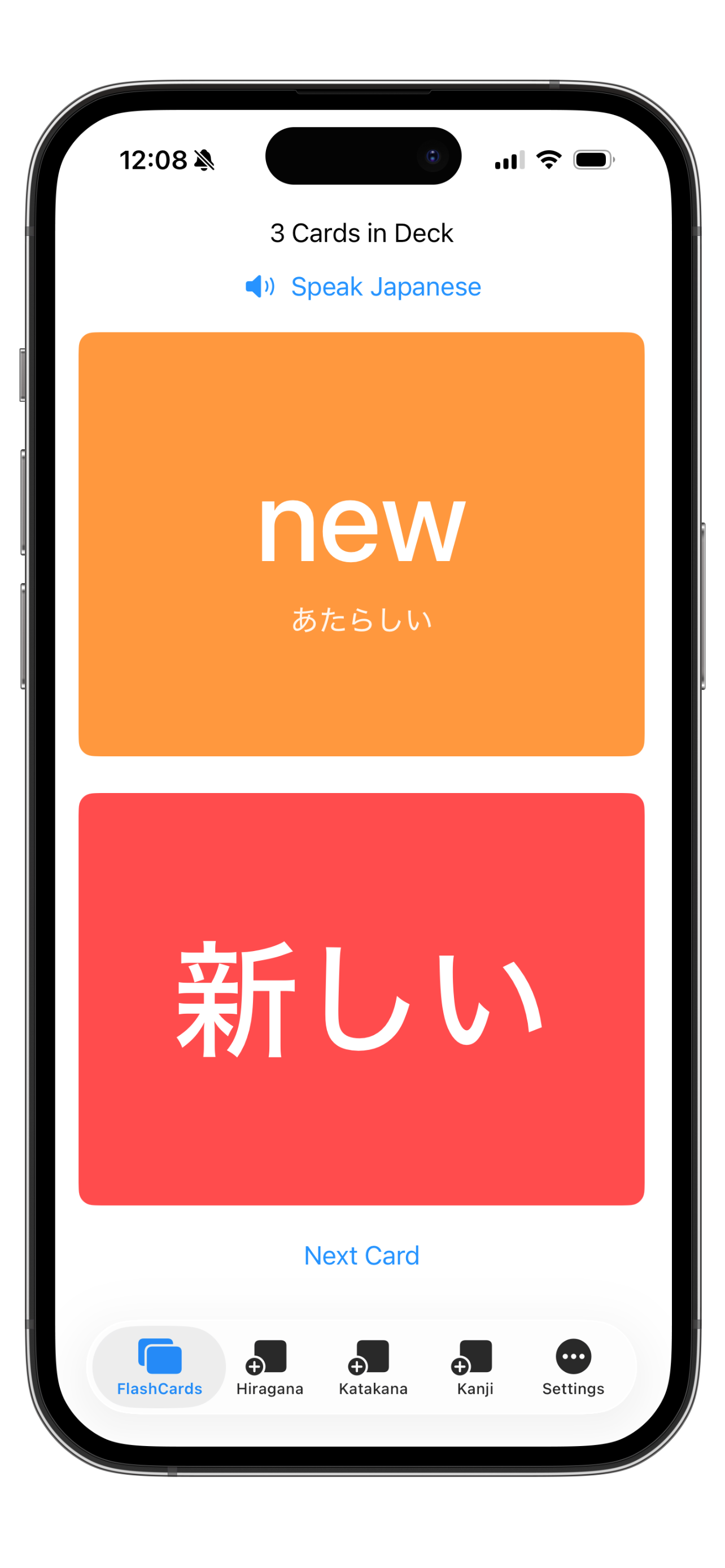
Build a deck that fits your study
Add the characters and words you want to practise, then review them as flashcards with Japanese audio and optional English, Romaji, and Kana support.
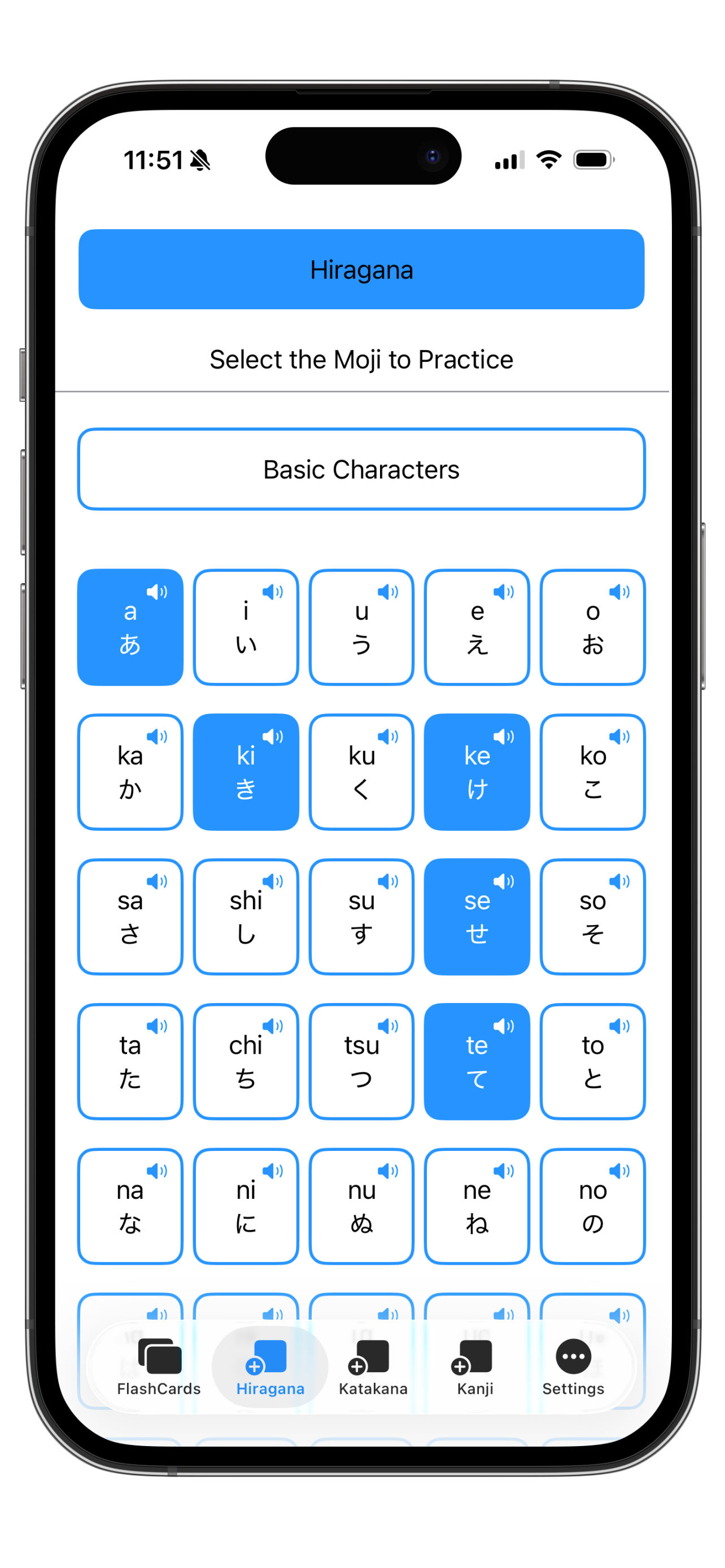
Start with Kana
Add Hiragana and Katakana cards to build confidence with the core Japanese writing systems.
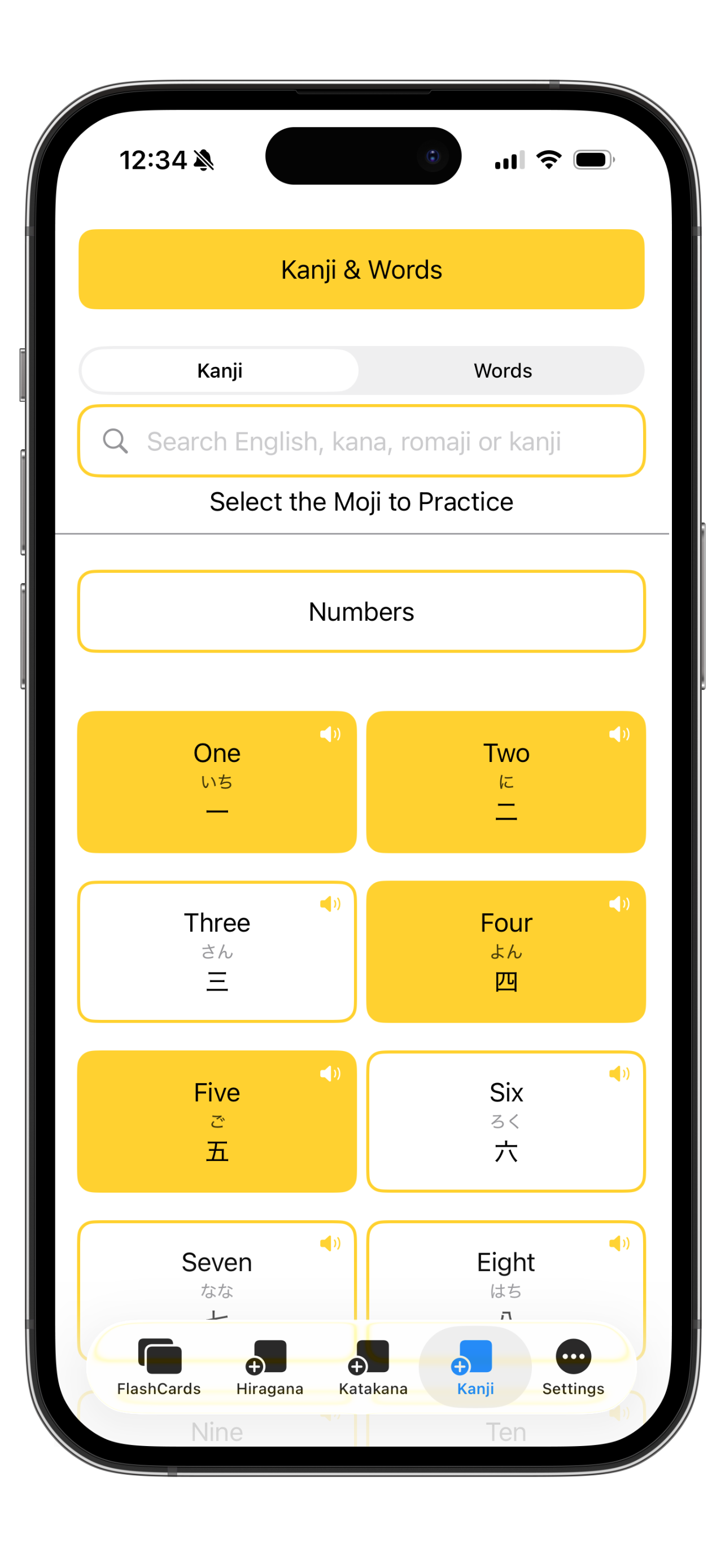
Practise N5 Kanji
Study essential JLPT N5 Kanji grouped into useful beginner themes.
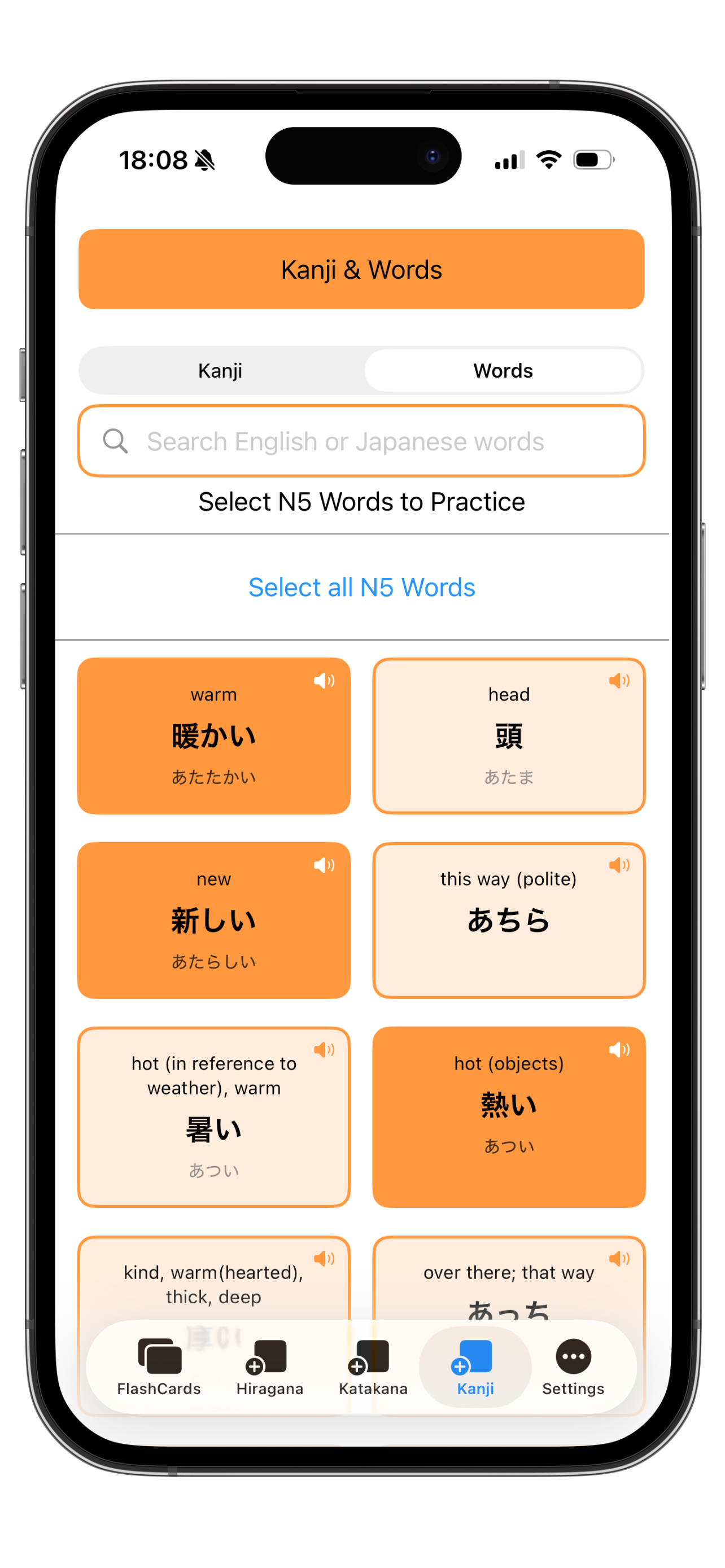
Add vocabulary
Use the N5 word bank to practise everyday beginner Japanese words alongside Kana and Kanji.
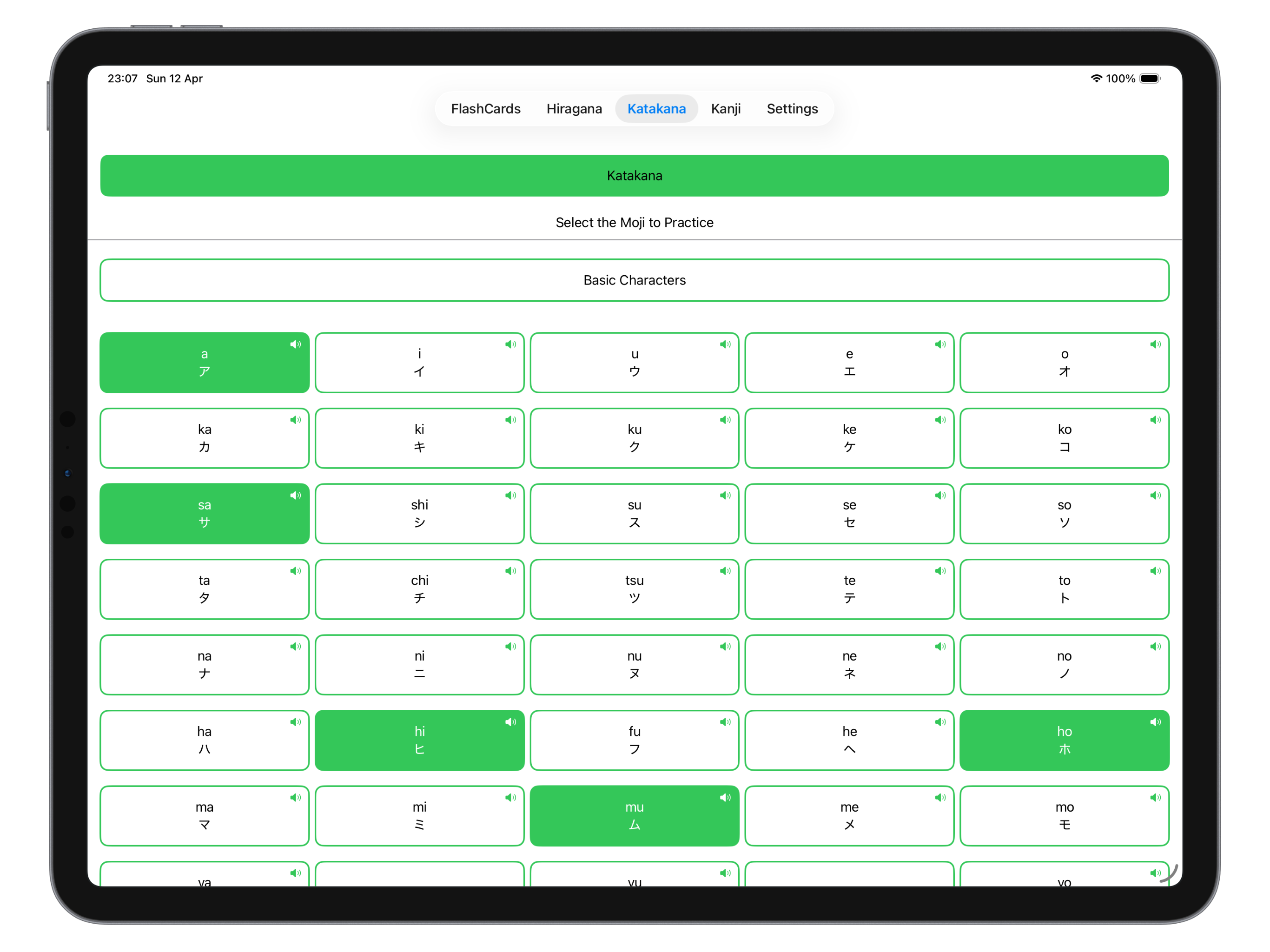
Comfortable on iPhone and iPad
Moji FlashCards adapts from quick phone study sessions to larger iPad layouts, with spacious cards that keep the current character, word, and reading easy to scan.
Focused Japanese practice
Moji FlashCards is designed for beginners starting from scratch, travellers building useful reading confidence, and learners preparing for JLPT N5.
Custom decks
Choose the Kana, Kanji, and vocabulary you want to practise instead of working through a fixed list.
Kanji search
Search Kanji in English or Japanese to find useful characters and add them to your study flow.
Japanese audio
Use audio on flashcards to reinforce recognition and pronunciation during review.
Simple study flow
Keep sessions focused with clean cards, clear reveal behaviour, and no advertising or subscription prompts.
Support Topics
These notes cover the most common setup, deck, study, and privacy questions.
Getting started
Open Moji FlashCards and add cards from the Hiragana, Katakana, Kanji, or vocabulary sections. Then return to FlashCards to review the cards currently in your deck.
Building your study deck
Use the add-card screens to choose the characters and words you want to practise. You can build a small deck for focused review or a larger mixed deck across Kana, Kanji, and words.
Using flashcards
Tap a card or use the reveal controls to check the hidden side. Depending on your settings and card type, cards may show Japanese characters, Romaji, Kana support, English meaning, or audio controls.
Japanese audio
Use the Speak Japanese control on supported flashcards to hear Japanese audio. Device sound settings and silent mode may affect playback.
Offline use
Moji FlashCards is built for offline study after installation. App Store downloads and updates still require internet access.
Privacy
Moji FlashCards does not require a Lemocu account. Lemocu does not collect data from this app.
Need help with Moji FlashCards?
Use the support button with your device model, iOS or iPadOS version, and a short description of the issue.